1. Overview
A Request-Type Marketplace is a service-based model where:
-
Users (buyers) post requests
-
Service providers submit offers (bids)
-
One offer is accepted
-
The requester completes payment
-
The provider delivers the service
This is a buyer-driven marketplace, unlike traditional product marketplaces.
2. User Roles
1. Requester (Buyer)
-
Posts requests
-
Receives offers from service providers
-
Accepts one offer
-
Makes payment
-
Confirms completion
-
Leaves a review
2. Service Provider (Account Owner)
-
Creates a service account
-
Browses requests
-
Submits offers
-
Completes the service
-
Updates order status
3. SuperAdmin (Marketplace Owner)
-
Configures payment methods (Stripe, COD, etc.)
-
Defines commission structure
-
Manages platform settings
3. Complete Workflow
Step 1: User Signup → Becomes Requester
-
Any user who signs up is treated as a Requester by default
-
They can immediately post requests
Step 2: Posting a Request
-
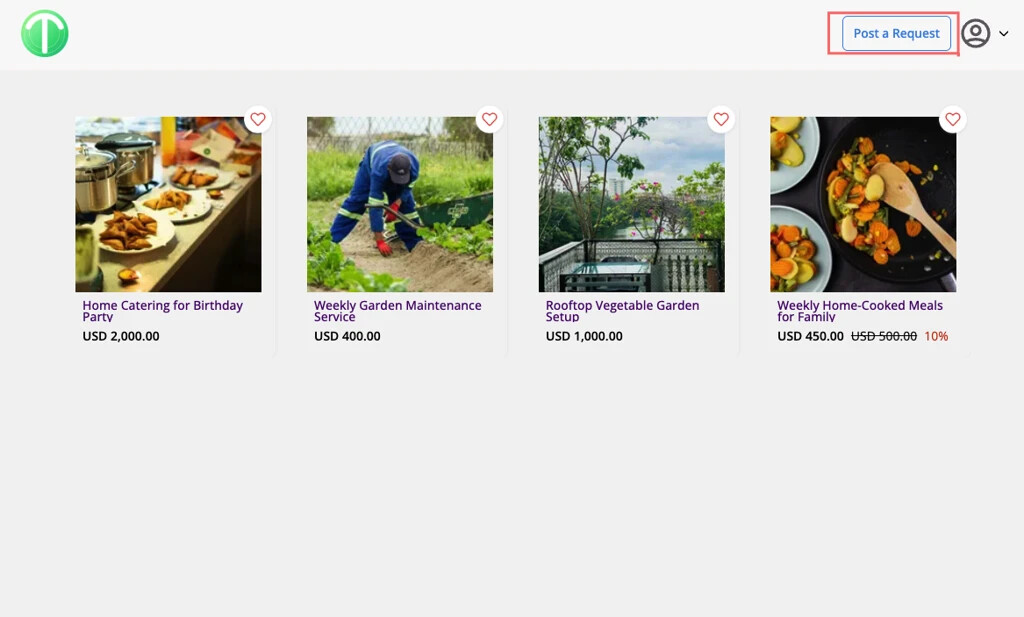
User clicks “Post Your Request”
-
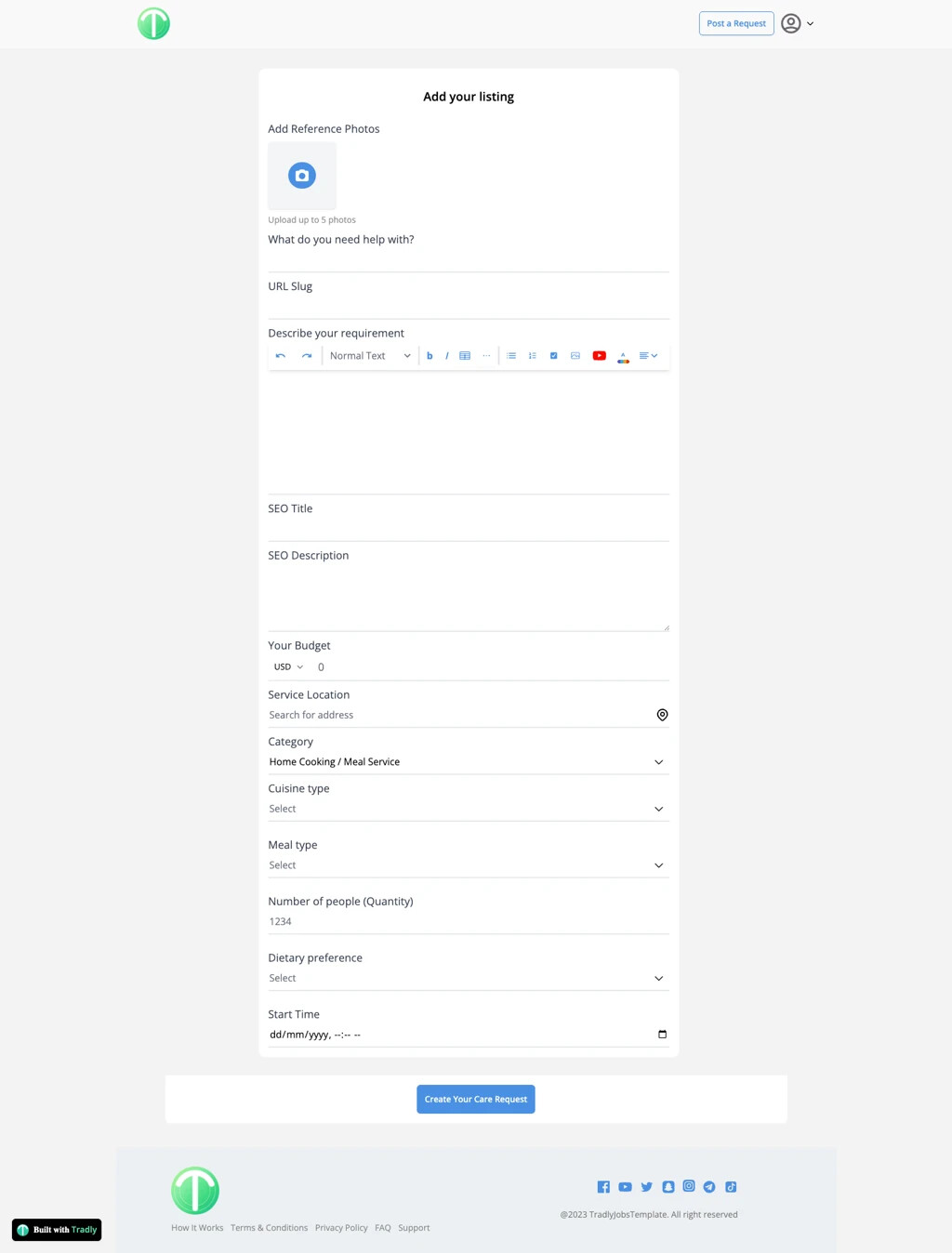
Redirected to Add Listing page
-
Submits request details
 In this model, a request is created as a listing
Step 3: Becoming a Service Provider
If a user wants to provide services instead of posting requests, they must:
-
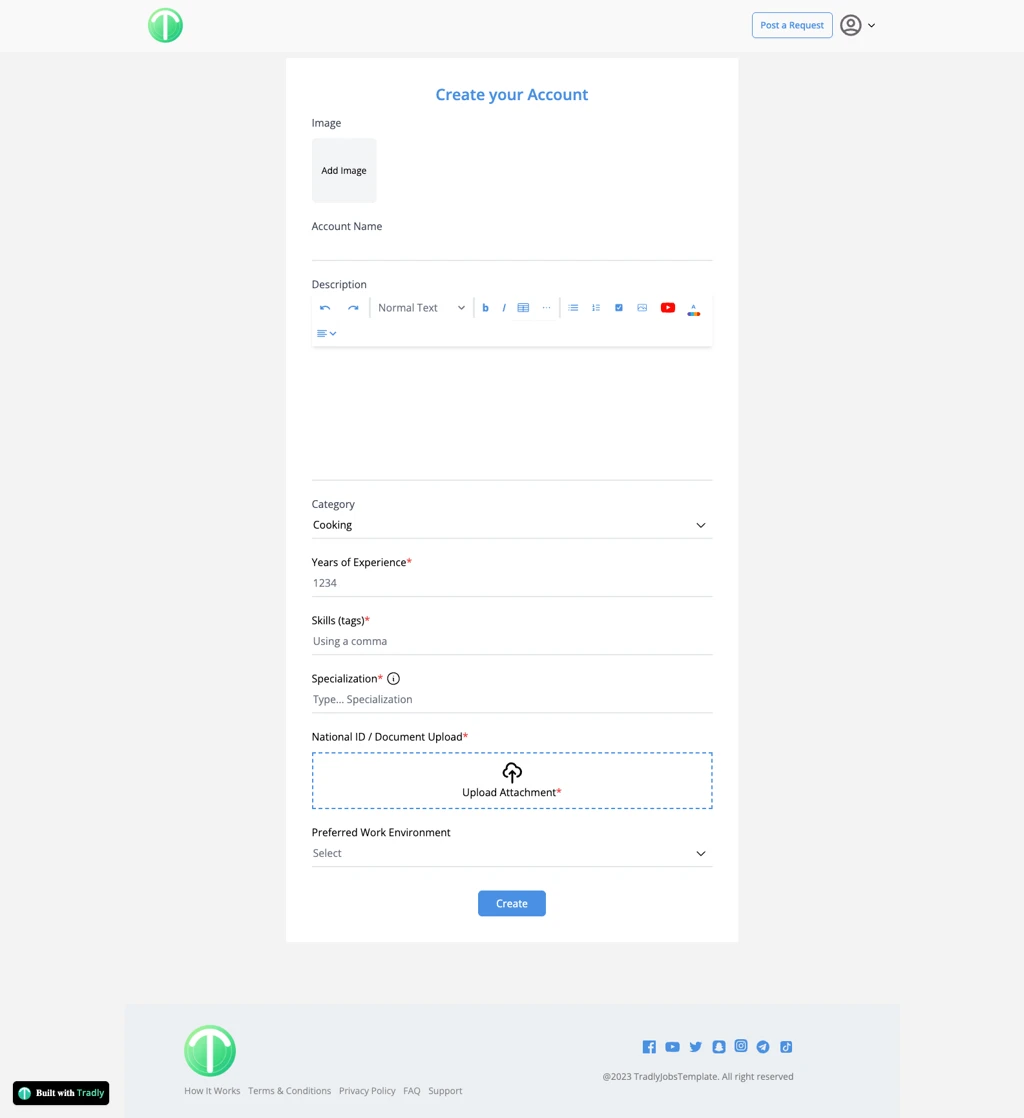
Go to:
<your-domain>/a/my-account -
Click Create Account
-
Submit required details:
-
Service information
-
Specializations
-
Identity proof (optional)
-
Bank/payment details
-
Additional fields can be configured using Account Attributes
Step 4: Submitting Offers (Negotiation)
-
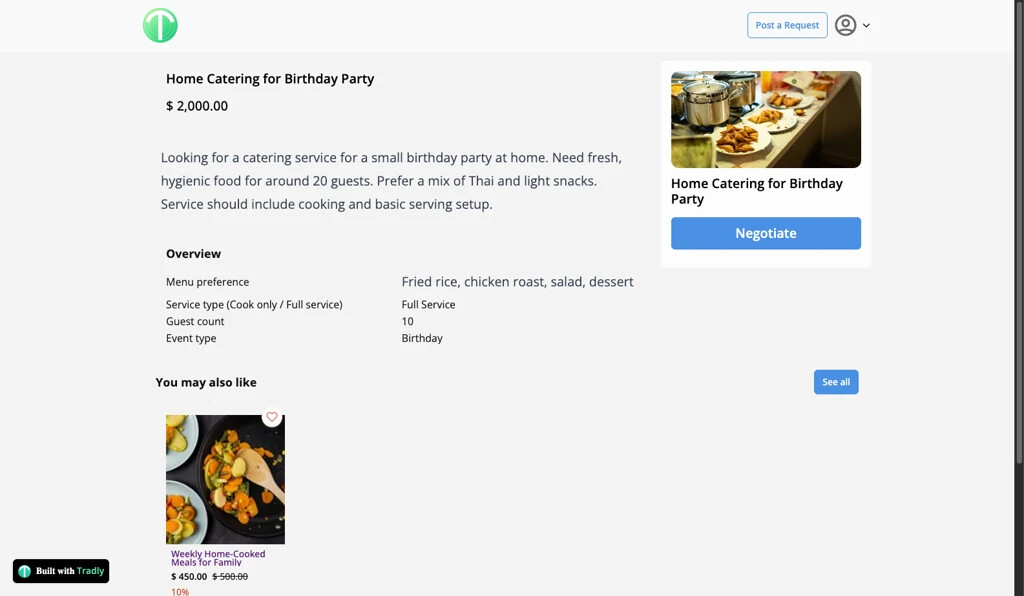
Service providers browse available requests
-
Open a request
-
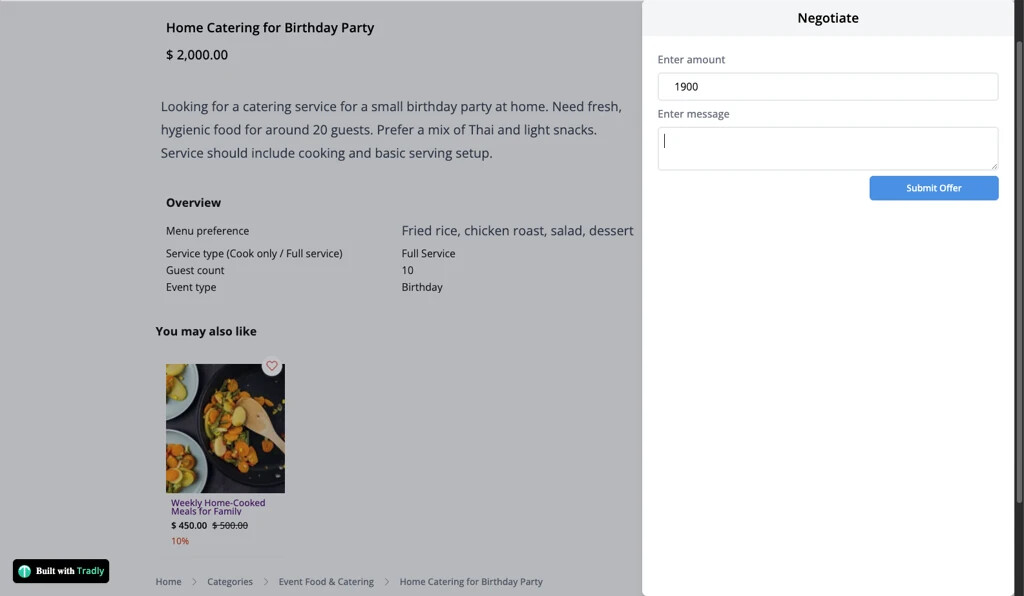
Click “Negotiate”
This opens a side panel where they:
-
Enter offer amount
-
Add a message
-
Submit the offer
Important:
-
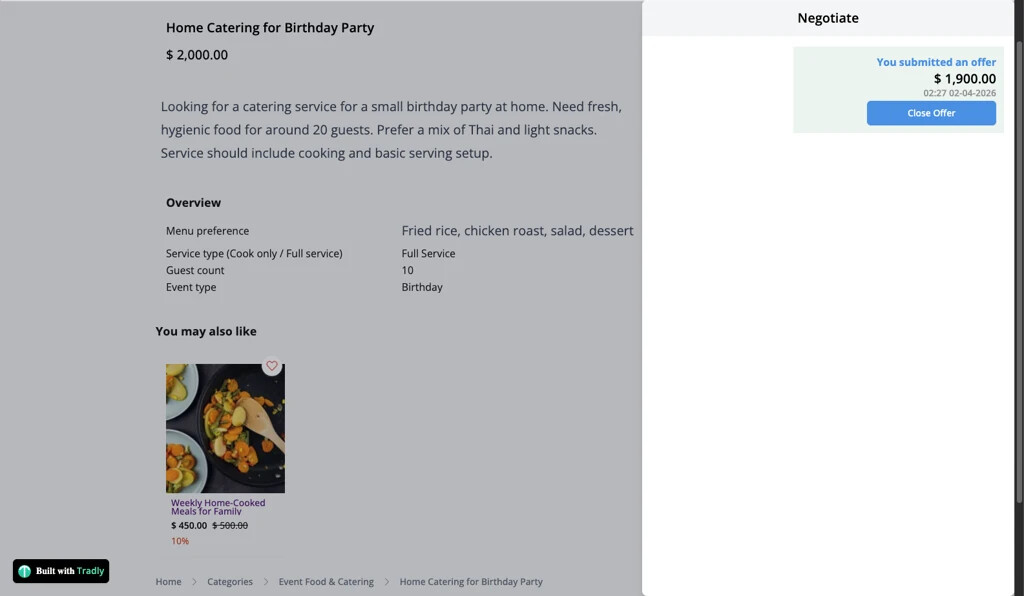
This is a structured offer system, not a full chat
-
Providers can view and close their offers
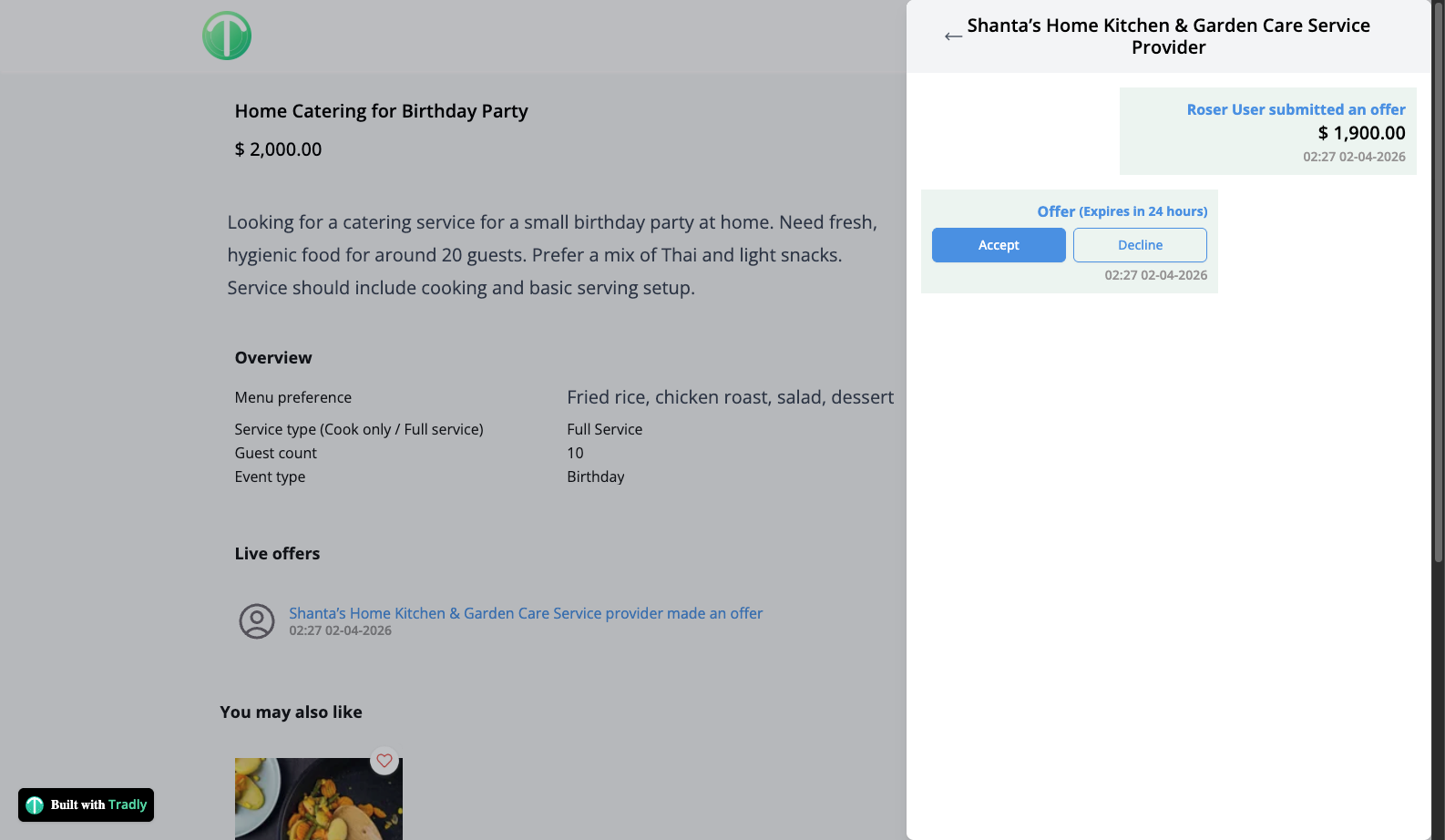
Step 5: Requester Reviews Offers
-
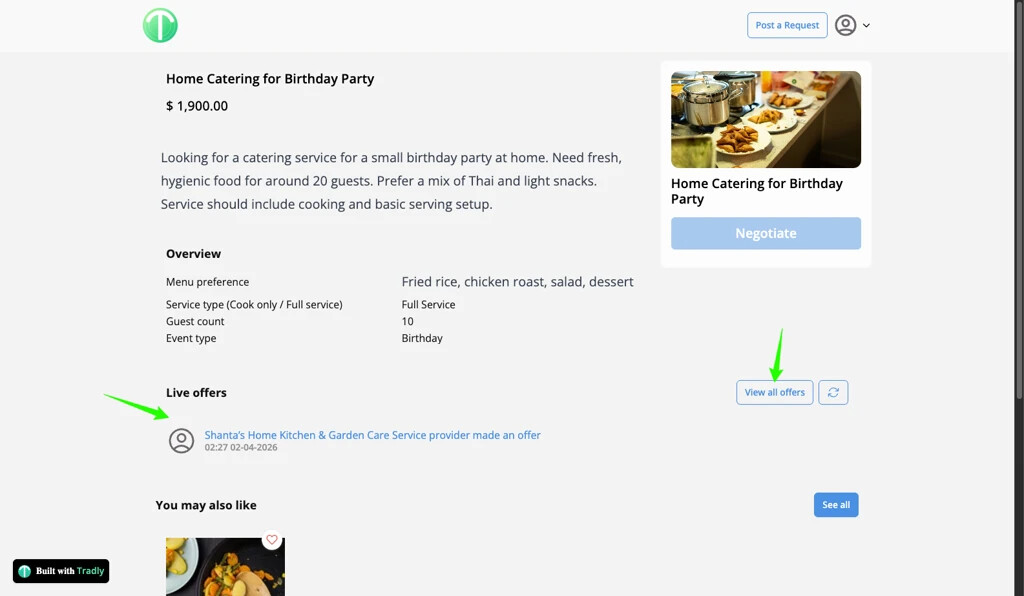
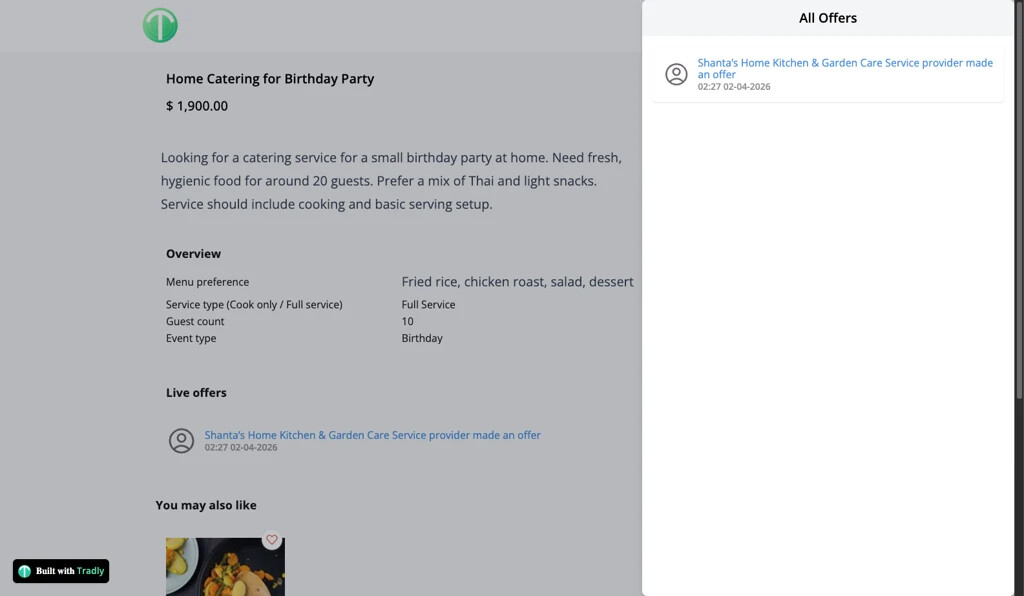
Requester sees a Negotiation List on the request page
-
Views all submitted offers
From here, they can:
-
Accept an offer
-
Decline offers
Only one offer can be accepted at a time
Step 6: Purchase After Acceptance
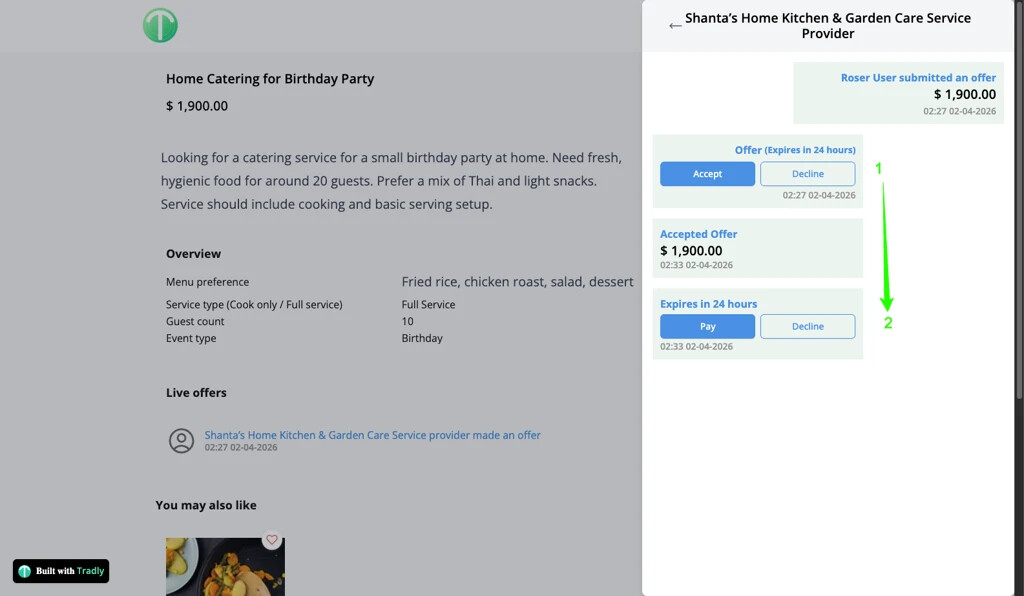
Once an offer is accepted:
-
A “Purchase” button appears
-
Clicking it:
-
Adds the service to cart (with agreed price)
-
Redirects to checkout
-
Step 7: Checkout & Payment
-
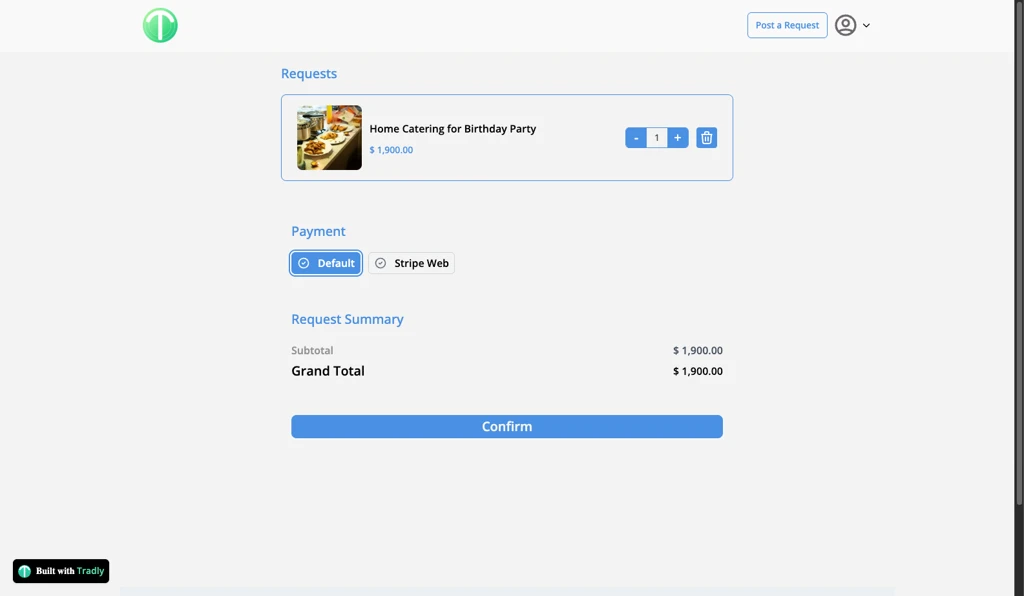
Requester sees:
-
Service details
-
Accepted price
-
Available payment methods
-
Payment methods are configured by SuperAdmin, such as:
-
Stripe Web Checkout
-
Cash on Delivery
-
Other enabled gateways
Completing checkout creates an Order
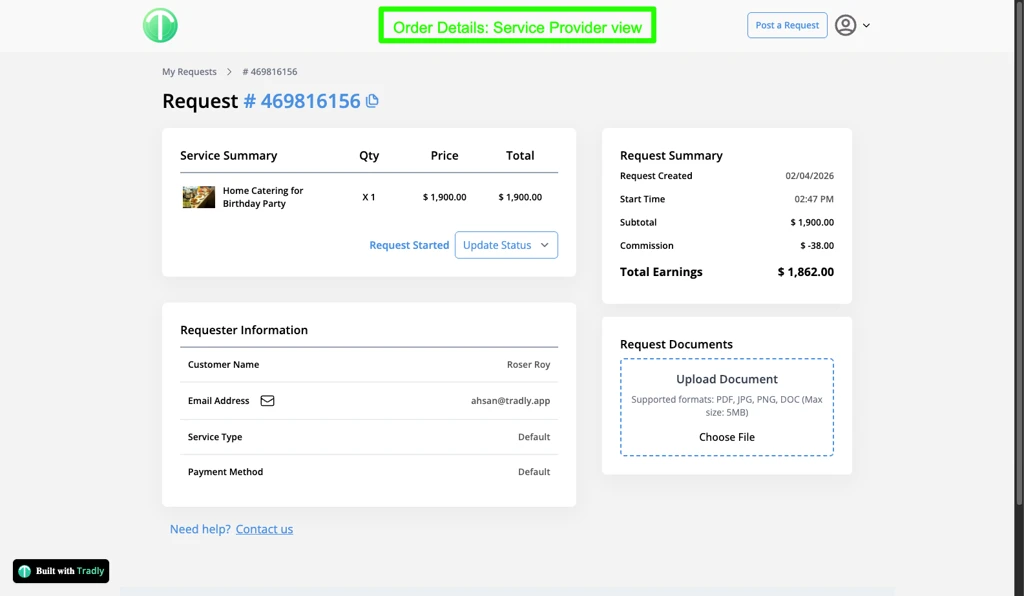
Step 8: Order Execution
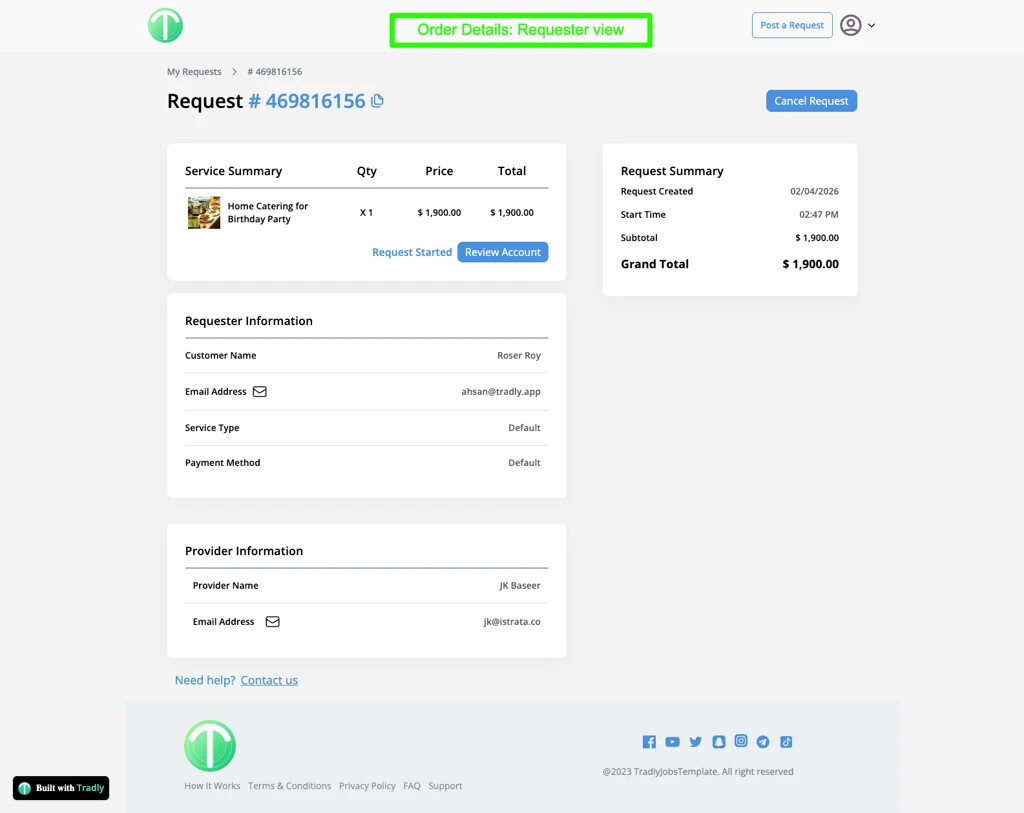
Service Provider Actions:
-
In Progress → when work starts
-
Complete → when work is finished
Requester Actions:
-
Cancel Order → if needed before completion
-
Mark as Complete → after verifying delivery
The order is finalized only when the requester confirms completion
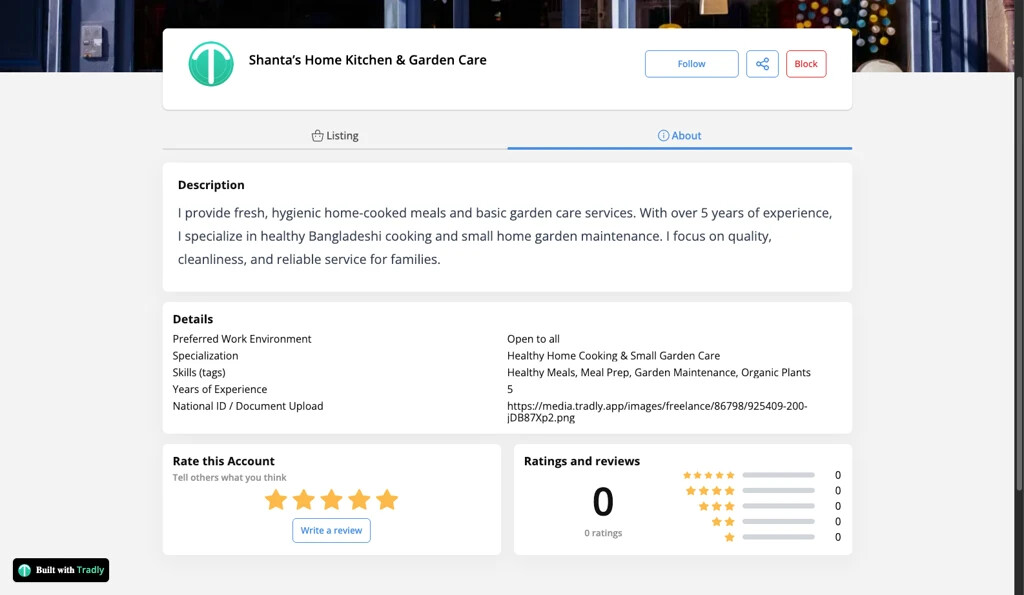
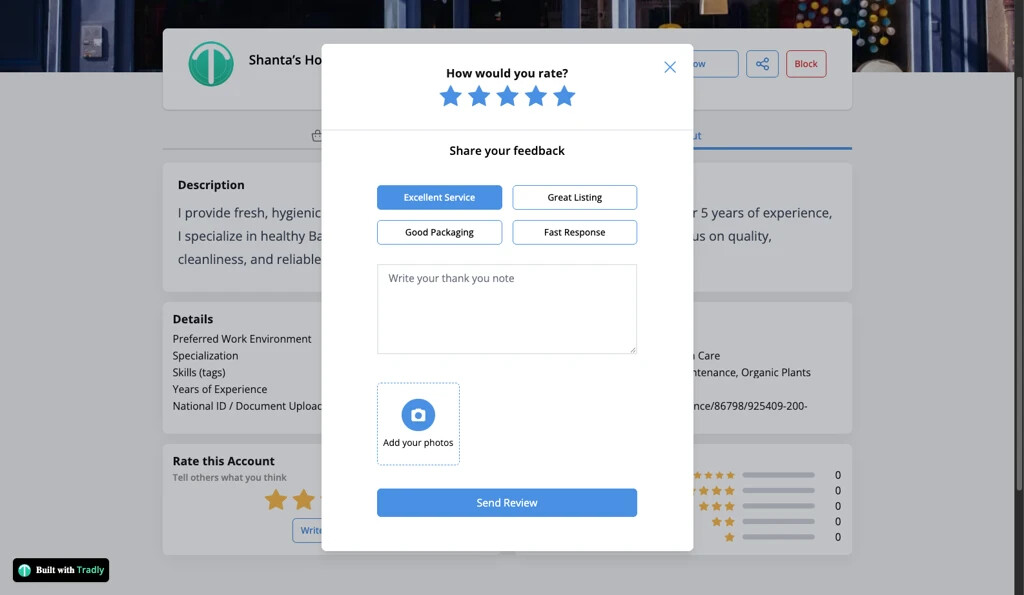
Step 9: Review & Rating
-
After completion, the requester can:
-
Leave a review
-
Rate the service provider (account)
-
4. Flow Summary
-
User posts a request
-
Service providers submit offers
-
Requester accepts one offer
-
Requester completes payment
-
Provider delivers service
-
Requester confirms completion
-
Requester leaves a review
5. Key Characteristics
-
Buyer-driven (demand-first model)
-
Competitive bidding by providers
-
Single provider per request
-
Structured negotiation (not chat-based)
-
Order lifecycle with dual confirmation
-
Post-service review system
6. Important Notes
-
Only one provider can be selected per request
-
Payment happens after offer acceptance
-
Service providers must create an account before bidding
-
Marketplace owner controls:
-
Payment methods
-
Commission model
-
7. What This Model Is Not
This is not:
-
A traditional product marketplace (B2C)
-
A multi-vendor cart system
-
A real-time chat-based freelance platform
This model is closer to:
-
Reverse marketplace
-
Service bidding platform
If you have any specific questions on flow and need more extra features on this, feel free to ask here.